
RRC Polytech LMS Overhaul
LMS Redesign + Interactive Activity Development
Mockup for visual representation only. Real page not shown due to academic privacy.

Project Summary
The client's goals and design challenges.
RRC Polytech’s Construction Trades department needed a complete overhaul of their Learning Management System to make online course content easier to navigate and more engaging for students.
- Content was outdated and scattered in PDFs
- Activities lacked interactivity and mobile-friendliness
- Needed alignment with modern UX best practices

What I did
A breakdown of the improvements I delivered.
Content Conversion
Turned PDFs into mobile-optimized HTML
Interactive Activities
Developed auto-generating math tools
Platform Integration
Embedded directly into D2L LEARN
Team Collaboration
Worked with instructors and subject matter experts
The Results
The measurable outcomes after launch
Improved Usability
Students could access content on any device
Paperless Practice
Activities with unlimited practice questions
Faculty Praise
Received strong feedback from instructors and leadership
Tools Used This Build
Technologies and platforms I used on this project.

Code editor for web development

Web page structure language

Styling language for the web

Front-end interactivity scripting

Programming & automation tool

Learning management system (LMS)
Why This Project Stands Out
This was a flagship co-op initiative at RRC Polytech, and our two-person team delivered beyond expectations. Our work became a model for other departments to follow and set a new standard for LMS design at the school.

The Final Product
A visual showcase of some of the interactive activities I built for RRC Polytech
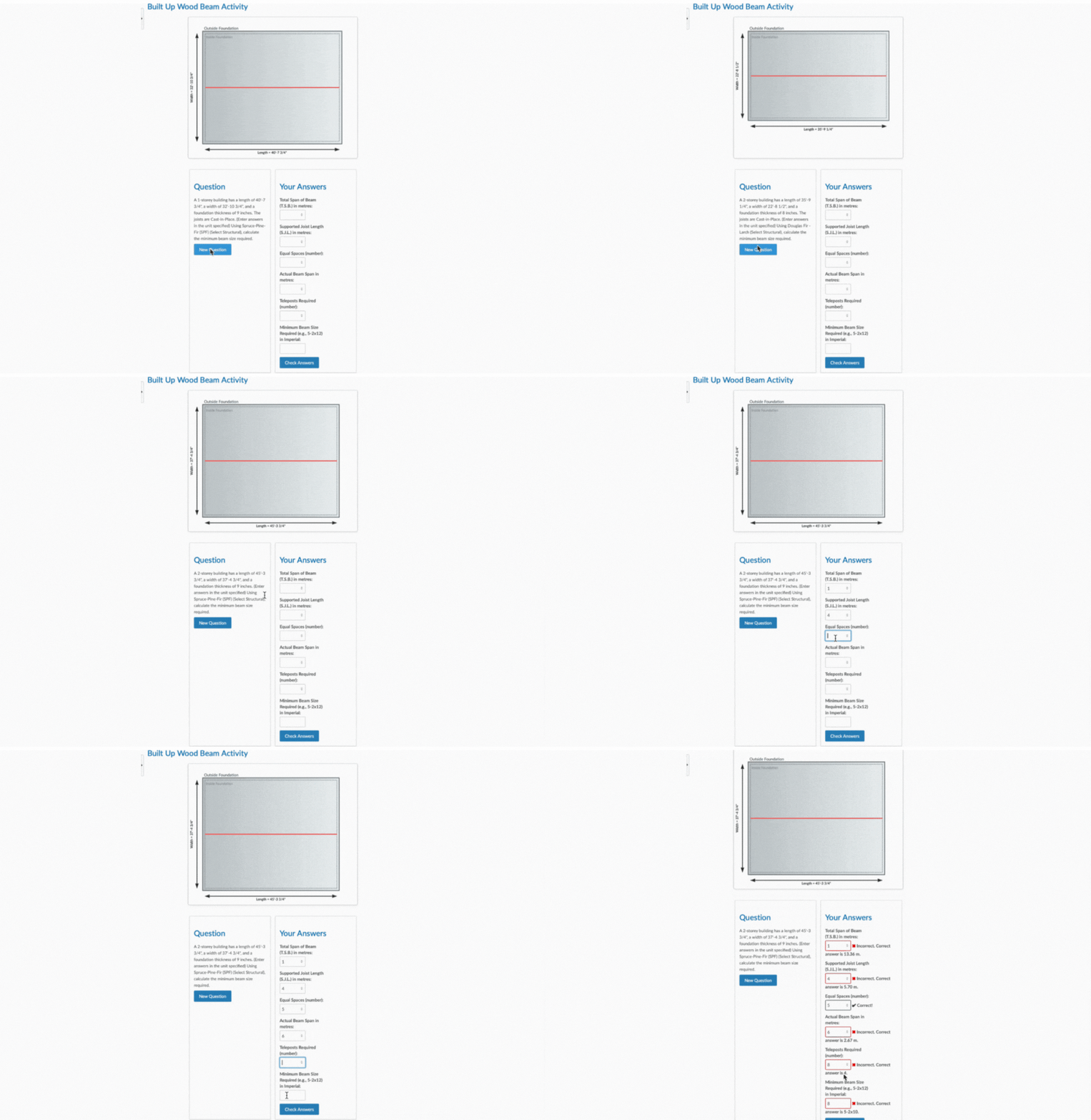
Beam Span Calculator
A complex, code-generated activity that pulls real data from two different tables in the National Building Code of Canada to calculate built-up wood beams. Students are given randomized building scenarios for either a 1-storey or 2-storey building, which changes how the beam is calculated.
Based on the question, students must enter values like total beam span, supported joist length, number of teleposts, and the correct beam size. The diagram updates automatically for each new question, and the activity creates unlimited variations so students can practice as much as they need.
This was the most advanced activity I built, combining code-driven logic, live math, dynamic SVG diagrams, and official data from the Canadian building code — all working together to simulate real-world structural decisions.
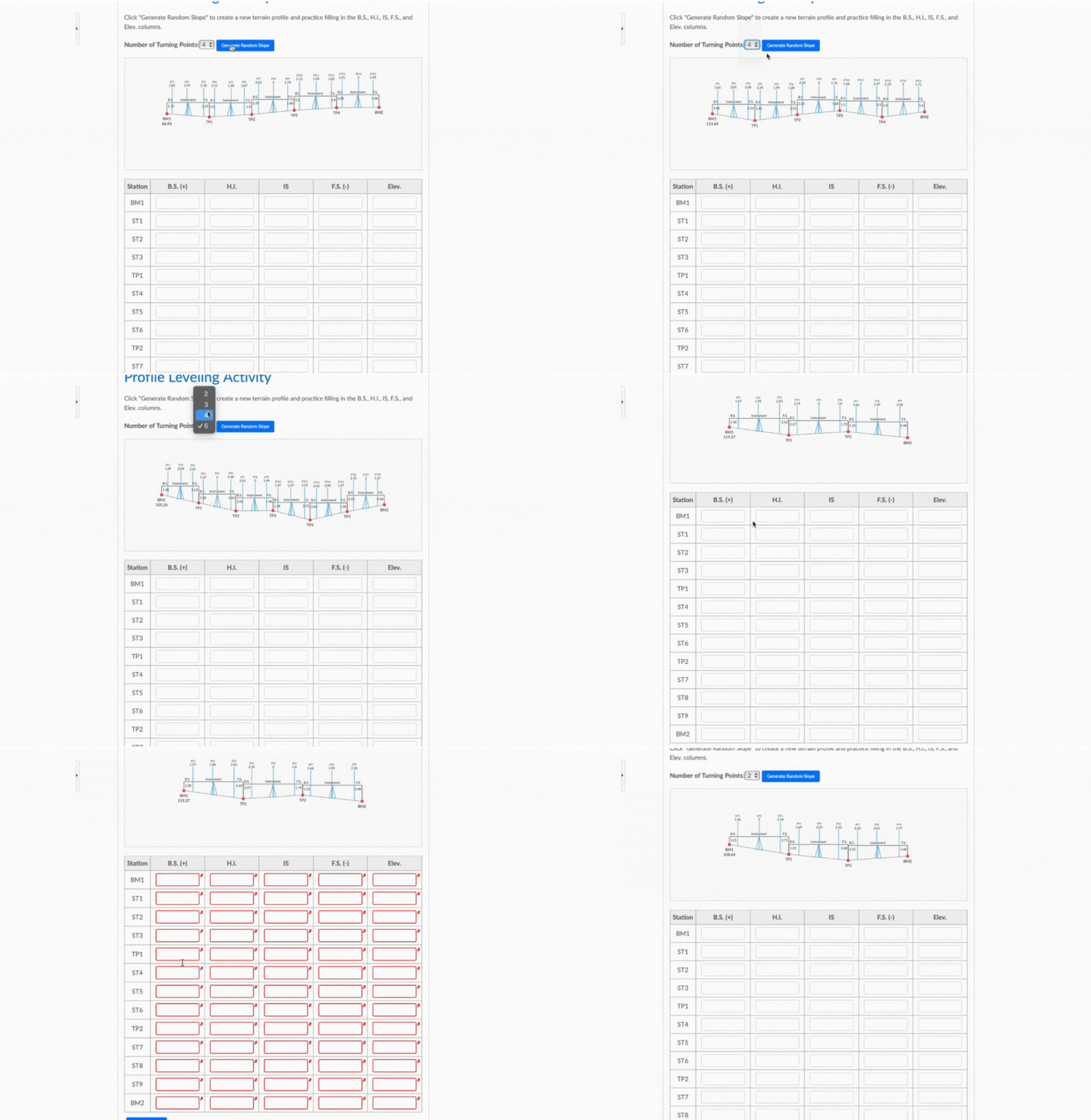
Profile Leveling Activity
This activity helps students learn how to calculate elevation changes using a leveling profile. Each time a student clicks “Generate Random Slope,” a new terrain profile is created, and the diagram updates automatically with new turning points and slope distances.
Students must use the image to fill out values like Back Sight (B.S.), Height of Instrument (H.I.), Intermediate Sight (I.S.), and Final Elevation. Some questions depend on earlier answers being correct, so the activity builds step-by-step like a real field scenario.
The number of slope changes can be adjusted, and each attempt gives students a different challenge. This activity gives unlimited practice and uses real surveying concepts to simulate terrain work in the field.
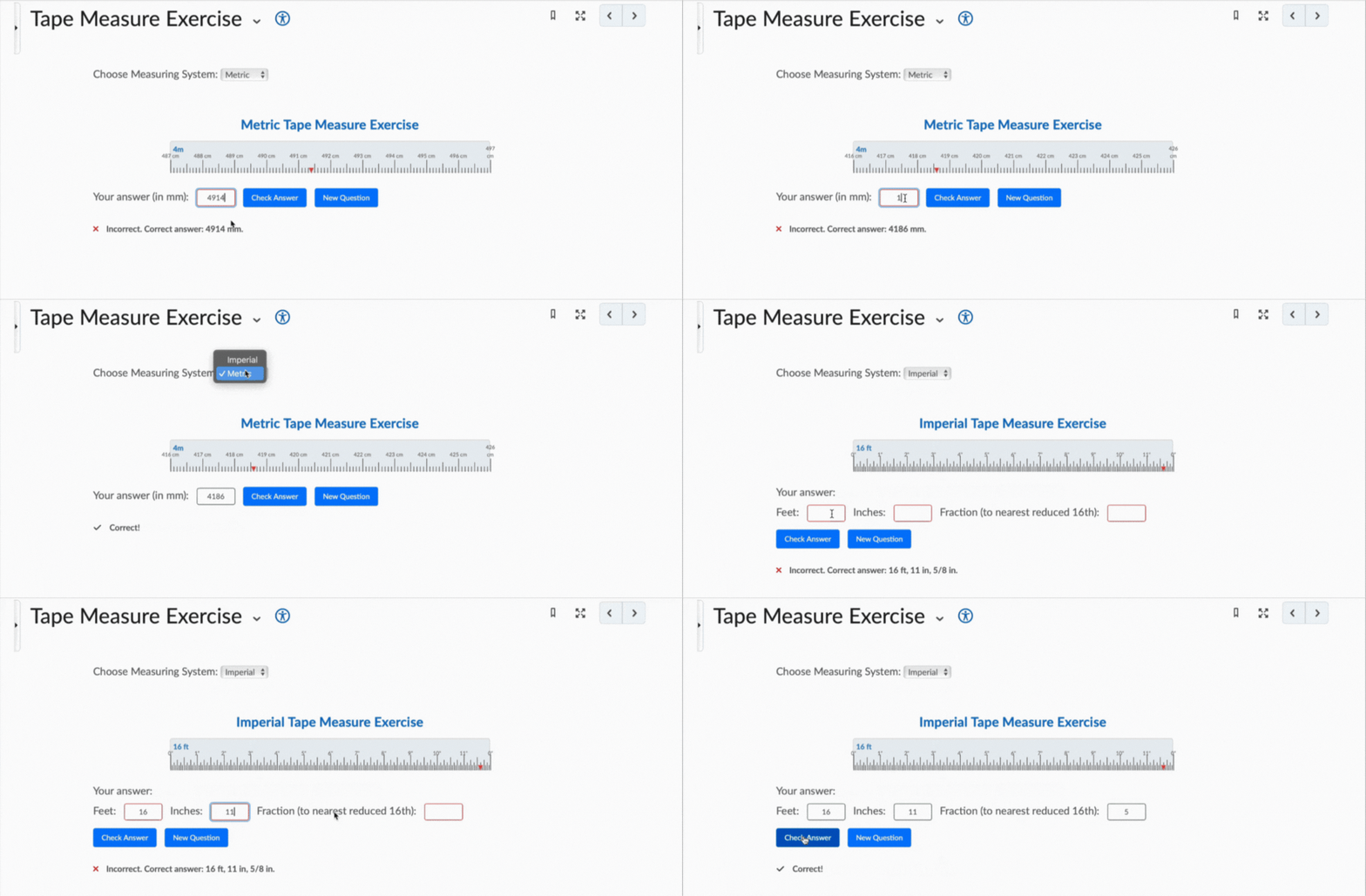
Tape Measure Exercise
This activity helps students practice reading a tape measure in both metric and imperial units. Each time a new question is generated, the tape measure updates with a random arrow position, and the student must type the correct measurement based on where the arrow is pointing.
Students can switch between metric (mm/cm) and imperial (inches/fractions), allowing them to get comfortable with both measuring systems. The tool gives instant feedback and creates unlimited random questions for continuous practice.
It’s a simple, hands-on way for students to improve their accuracy and speed when working with real-world measurement tools.